
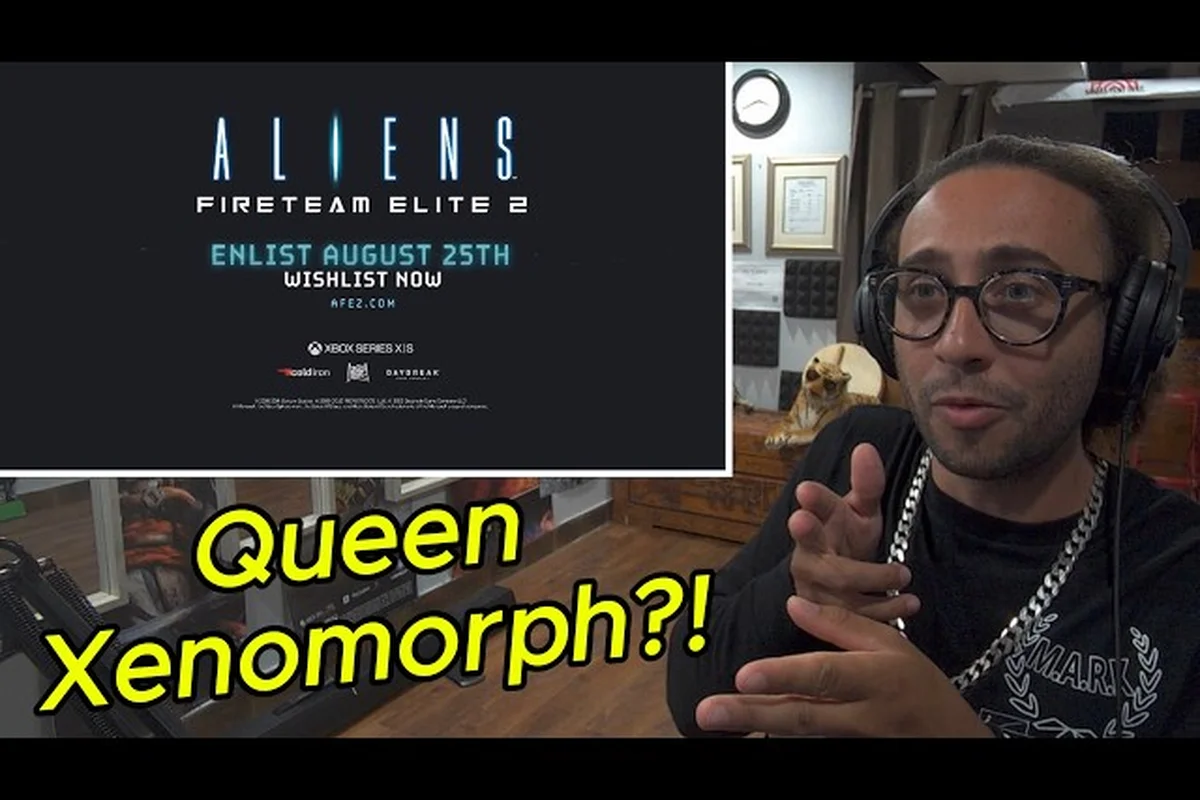
Jumping into Aliens Fireteam Elite 2 without preparation is a fast way to get your squad wiped on the first mission, especially since the sequel expands the fireteam from three marines to four while cranking up the enemy AI. Knowing what to expect before you deploy — from the six USCM classes to the revamped weapon system — separates a smooth first drop from a chaotic retreat. This guide covers the core basics every new marine needs before playing, including the hub layout, friendly fire rules, elemental ammo, and crossplay setup.
The original game built a loyal following with its tense co-op survival loop, and the sequel doubles down on that formula with 15 campaign missions across four biomes, a dedicated horde mode, and smarter xenomorphs that react to your tactics. According to the official Steam listing, the game launches August 25, 2026 on Steam, Epic, PS5, and Xbox Series X|S for $49.99. Before you commit to a purchase or plan your first session, you need to understand how the sequel changes the fundamentals — because several mechanics work differently than the original.
Core Systems Overview for New Marines
The moment you land on the USS Endeavor, the game's hub ship, you will notice that Aliens Fireteam Elite 2 keeps the mission-based structure of its predecessor while adding meaningful layers to progression and loadout customization. Your fireteam of four marines (up from three in the original) selects a mission from the command deck, gears up in the armory, and deploys into one of the campaign's four distinct biomes. The core loop remains straightforward: shoot xenomorphs, complete objectives, extract, and upgrade your marine.
What changes dramatically is the depth of preparation. Each marine carries two primary weapon slots and one sidearm slot, which means you can now pair a long-range rifle with a close-quarters shotgun without sacrificing versatility. The game also introduces elemental ammo types that alter how you approach different enemy variants, and the class system has been reworked to support the larger squad size. Here is a quick breakdown of what you need to master before your first deployment:
-
Six USCM classes — Marauder, Duelist, Machinist, Hunter, Medic, and Specialist — each with a distinct role in squad composition.
-
Two primary weapon slots plus a sidearm, allowing for hybrid loadouts that cover multiple engagement ranges.
-
Elemental ammo mods that add fire, cryo, or shock damage, each with unique crowd-control properties.
-
Friendly fire is always on at Standard difficulty and above, so positioning matters more than raw firepower.
-
Crossplay with voice chat is available at launch across all platforms, making squad assembly easier than ever.
The aliens fireteam elite 2 tutorial does a decent job teaching the basics of movement and shooting, but it glosses over several systems that will get you killed if you ignore them. The aliens fireteam elite 2 ui explained section below breaks down the HUD elements that matter most, while the rest of this guide covers the strategic layers that the tutorial leaves unexplained.
Class Breakdown and Squad Roles
Choosing the right class is the single most important decision you will make before deploying, because each of the six USCM classes fills a specific niche in the four-person squad structure. The official website confirms that the sequel launches with Marauder, Duelist, Machinist, Hunter, Medic, and Specialist, and each class has its own skill tree, passive abilities, and signature weapon preferences. Unlike the original game where some classes felt optional, the larger squad size in the sequel means every role contributes meaningfully to survival.
Marauder and Duelist — Frontline Pressure
The Marauder is the heavy weapons specialist, designed to lay down suppressive fire with machine guns and grenade launchers. This class excels at clearing corridors and holding choke points, making it the backbone of most squad compositions. The Duelist, by contrast, is a close-quarters combatant who thrives at close range with shotguns and melee finishers, punishing xenomorphs that get too close. Both classes share a common weakness: they need teammates covering their flanks while they commit to aggressive positioning.
| Class | Primary Role | Best Weapon Types | Ideal Squad Position |
|---|---|---|---|
| Marauder | Suppression / Heavy Damage | LMG, Grenade Launcher | Rear anchor, choke point holder |
| Duelist | Close-Quarters Combat | Shotgun, Melee | Frontline, flank defender |
| Machinist | Turret Support / Area Denial | Assault Rifle, Turret Deployables | Mid-range, objective defender |
| Hunter | Precision Damage / Weak Points | Sniper Rifle, DMR | Long-range, elite killer |
| Medic | Healing / Buffs | SMG, Medkit Launcher | Mid-range, squad sustain |
| Specialist | Utility / Crowd Control | Plasma Rifle, Tech Abilities | Flexible, adaptive support |
Machinist, Hunter, Medic, and Specialist — Support and Control
The Machinist deploys automated turrets that provide area denial, which is invaluable during horde sequences where enemies swarm from multiple directions. The Hunter fills the precision role, using sniper rifles to eliminate elite xenomorphs before they reach the squad, and its weak-point detection ability highlights critical damage zones on larger enemies. The Medic keeps the squad alive with healing stations and revive abilities, while the Specialist offers the most flexible toolkit, with abilities that slow, blind, or disrupt enemy groups.
According to community reports from the beta period, the most effective four-person compositions include at least one Medic and one Hunter, while the remaining two slots flex between Marauder, Machinist, or Specialist depending on the mission. The Duelist shines in tight-corridor missions but struggles in open arenas, so consider the biome before locking in your class. For a deeper look at how difficulty settings affect class viability, check our difficulty settings explained guide.
Understanding Weapon Slots and Loadouts
The sequel's biggest mechanical shift is the two primary weapon slots, which fundamentally changes how you build your loadout compared to the original game. In the first title, you picked one primary and one sidearm, forcing you to commit to a single engagement range. Now you can carry a long-range rifle for open spaces and a shotgun for corridor clearing, giving you answers to every combat scenario the mission throws at you.
| Loadout Type | Primary Slot 1 | Primary Slot 2 | Sidearm | Best For |
|---|---|---|---|---|
| Balanced | Assault Rifle | Shotgun | Pistol | General missions, flexible play |
| Long-Range | Sniper Rifle | DMR | SMG | Open biomes, elite hunting |
| Close-Quarters | Shotgun | SMG | Pistol | Corridor-heavy missions |
| Suppression | LMG | Assault Rifle | Pistol | Horde defense, choke points |
| Elemental Hybrid | Cryo Rifle | Shock Shotgun | Fire Pistol | Mixed enemy types |
The elemental ammo system adds another layer to loadout planning, because different xenomorph variants have different resistances and weaknesses. Fire ammo deals damage over time and is effective against organic enemies, while cryo ammo slows enemies and is particularly useful against fast-moving runners. Shock ammo chains between nearby enemies, making it ideal for clustered groups. According to player testing during the closed beta, the cryo rifle plus shock shotgun combination proved exceptionally strong, because the slow effect from cryo ammo sets up perfect shock chains.
Your sidearm is no longer an afterthought either, because the game introduces sidearm-specific perks that trigger when you switch weapons mid-combat. A well-timed sidearm swap can reload your primary faster, grant a brief damage boost, or even stagger nearby enemies. The aliens fireteam elite 2 walkthrough community has documented several sidearm-centric builds that maximize these swap bonuses, so experiment with different combinations rather than treating your sidearm as an emergency backup.
HUD and UI Explained for New Players
The aliens fireteam elite 2 ui explained section is critical for new players, because the HUD packs a lot of information into a small space, and missing a key indicator can mean the difference between a clean extraction and a total party wipe. The game's interface is functional but dense, and the tutorial only covers the most obvious elements. Here is what every HUD element means and how to read it effectively during combat.
Combat HUD Elements
The health bar in the bottom-left corner shows your current health and shield values, with a segmented armor bar above it that absorbs damage before your health is affected. The ammo counter sits next to your weapon icon, showing both the current magazine and total reserve ammunition. When you switch weapons, a weapon swap indicator appears briefly, showing which weapon is active and whether the swap triggers a perk.
-
Threat indicator — a red glow on the screen edges warns you when enemies are attacking from off-screen.
-
Objective marker — a compass-style bar at the top shows mission objectives and waypoints.
-
Teammate status — small icons above each teammate show health, downed state, and active buffs.
-
Ammo type indicator — a colored dot next to the ammo counter shows which elemental ammo is currently loaded.
-
Cooldown tracker — class abilities show their remaining cooldown as a radial timer around the ability icon.
The team status panel in the bottom-right corner displays each squad member's health and class icon, and it also shows when a teammate is being attacked or is out of position. During intense firefights, this panel is your best tool for monitoring squad health without taking your eyes off the action. The objective compass at the top of the screen is also essential, because several missions feature multi-stage objectives that require backtracking through previously cleared areas.
Mission Briefing and Map Interface
Before each mission, the mission briefing screen shows the biome, mission type, recommended power level, and any special modifiers that will be active. This screen is your last chance to adjust your loadout before deploying, so pay attention to the enemy composition preview that shows which xenomorph types you will encounter. The tactical map during missions is minimal by design, showing only major objectives and extraction points, which keeps the focus on the action rather than navigation.
The aliens fireteam elite 2 tutorial does not explain the ping system, which is a shame because it is one of the most useful tools in the game. You can ping enemies, locations, and items, and your teammates will see the ping marker through walls and obstacles. This is especially valuable for coordinating focus fire on elite enemies or alerting your squad to incoming threats from an unexpected direction.
Friendly Fire and Difficulty Considerations
Friendly fire is a defining mechanic in Aliens Fireteam Elite 2, and it is something you absolutely need to understand before playing with random teammates. The game enables friendly fire at Standard difficulty and above, which means your bullets can and will hurt your squadmates. This is a significant change from many modern shooters that disable friendly fire by default, and it requires a fundamental shift in how you approach combat positioning.
| Difficulty | Friendly Fire | Friendly Fire Damage | Recommended For |
|---|---|---|---|
| Casual | Disabled | N/A | Beginners, solo play |
| Standard | Enabled | Reduced (50%) | Most players |
| Intense | Enabled | Full (100%) | Experienced squads |
| Extreme | Enabled | Full (100%) | Coordinated veterans |
| Insane | Enabled | Full (100%) + increased enemy damage | Hardcore challenge |
The friendly fire system rewards disciplined trigger discipline and positional awareness. When you are in a corridor with teammates, you need to be aware of their line of fire and adjust your positioning accordingly. The Marauder's suppression fire is particularly dangerous to teammates, because the wide spread of LMG fire can easily clip a squadmate who is pushing forward. According to community reports, the most common cause of friendly fire incidents is teammates walking into the line of fire rather than intentional griefing.
The aliens fireteam elite 2 what to know before playing checklist must include a plan for friendly fire mitigation. Use the ping system to mark your intended firing lane, communicate before using area-of-effect abilities, and always be aware of your teammates' positions before opening fire. The friendly fire guide covers advanced mitigation strategies, including positioning techniques for each class and how to coordinate suppression fire without clipping your squad.
Hub, Crossplay, and Progression Systems
The USS Endeavor serves as the game's hub, and understanding how it works will save you significant time between missions. The hub is divided into several zones: the Command Deck where you select missions, the Armory where you customize loadouts, the Vendor Area where you spend credits on gear and cosmetics, and the Barracks where you manage class progression. Each zone serves a specific purpose, and efficient hub navigation means less downtime between deployments.
Crossplay and Squad Assembly
Crossplay is fully supported at launch, which means you can squad up with friends regardless of whether they are on Steam, Epic, PS5, or Xbox Series X|S. The game includes built-in voice chat that works across platforms, so you do not need a third-party voice application to coordinate with your squad. According to the official website, crossplay parties are created through the in-game friend system, and you can invite players from any platform as long as you have added them through the game's social interface.
| Platform | Crossplay | Voice Chat | Shared Progression |
|---|---|---|---|
| Steam | Yes | Yes | Yes (account-based) |
| Epic | Yes | Yes | Yes (account-based) |
| PS5 | Yes | Yes | Yes (account-based) |
| Xbox Series X/S | Yes | Yes | Yes (account-based) |
The progression system is account-based, which means your marine level, class unlocks, and cosmetic items carry across all platforms. This is particularly useful if you play on multiple systems or upgrade your hardware mid-cycle. The Vendor Area on the USS Endeavor offers rotating inventory that refreshes periodically, and according to community reports, the vendor stock includes exclusive cosmetic items that cannot be obtained through normal gameplay. For a complete breakdown of the hub's vendors and customization options, see our USS Endeavor explained guide.
Progression and Unlock Structure
Your marine earns experience from completing missions, and each level grants skill points that you allocate across your class's skill tree. The skill trees are class-specific, which means you need to level each class independently to unlock its full potential. This creates a natural progression loop where you are encouraged to experiment with different classes rather than sticking with one forever.
-
Marine level — account-wide progression that unlocks new weapons and gear.
-
Class level — individual progression per class that unlocks skill tree nodes.
-
Challenge cards — optional modifiers that increase difficulty in exchange for better rewards.
-
Reputation rank — unlocks vendor items and cosmetic rewards.
The challenge card system returns from the original game, allowing you to modify missions with additional difficulty modifiers in exchange for increased rewards. These cards range from simple tweaks like increased enemy health to game-changing modifiers like reduced ammo drops or faster enemy movement. According to player reports, the horde mode is the best place to test challenge cards, because the wave-based structure lets you see the effects of modifiers quickly. For a detailed breakdown of horde mode mechanics and wave strategies, check our horde mode guide.
Frequently Asked Questions
What is the best class for beginners in Aliens Fireteam Elite 2?
The Medic is the most forgiving class for beginners because its healing abilities provide a safety net for mistakes, and the SMG loadout is easy to handle. The Hunter is also a solid choice if you prefer ranged combat, since you can contribute from a safe distance while learning enemy behavior patterns.
How does friendly fire work in Aliens Fireteam Elite 2?
Friendly fire is enabled at Standard difficulty and above, with damage reduced to 50% at Standard and full damage at Intense and higher. Your bullets can hurt teammates, so positioning and trigger discipline are essential. The aliens fireteam elite 2 tutorial does not emphasize this enough, so practice awareness early.
Can I play Aliens Fireteam Elite 2 solo with AI teammates?
Yes, the game allows you to deploy with AI-controlled marines if you do not have human teammates. The AI is competent but not as effective as human players, so you may need to adjust the difficulty down for solo play. Casual difficulty disables friendly fire, making it the best option for solo runs.
What is the difference between the two primary weapon slots?
The two primary weapon slots let you carry two full-sized weapons instead of one, allowing you to cover multiple engagement ranges. For example, you can pair a sniper rifle with a shotgun to handle both long-range and close-quarters combat. The aliens fireteam elite 2 walkthrough community recommends balanced loadouts for most missions.
Is crossplay available at launch in Aliens Fireteam Elite 2?
Yes, crossplay with voice chat is available at launch across Steam, Epic, PS5, and Xbox Series X|S. You can create parties with friends on any platform through the in-game friend system, and progression carries across all platforms through your account.